Inbox
The Inbox shows the comments people leave on your brand’s posts, from every connected channel that allows it, in one place. Each comment and the replies under it form one conversation, so you can read and answer them without opening every network.
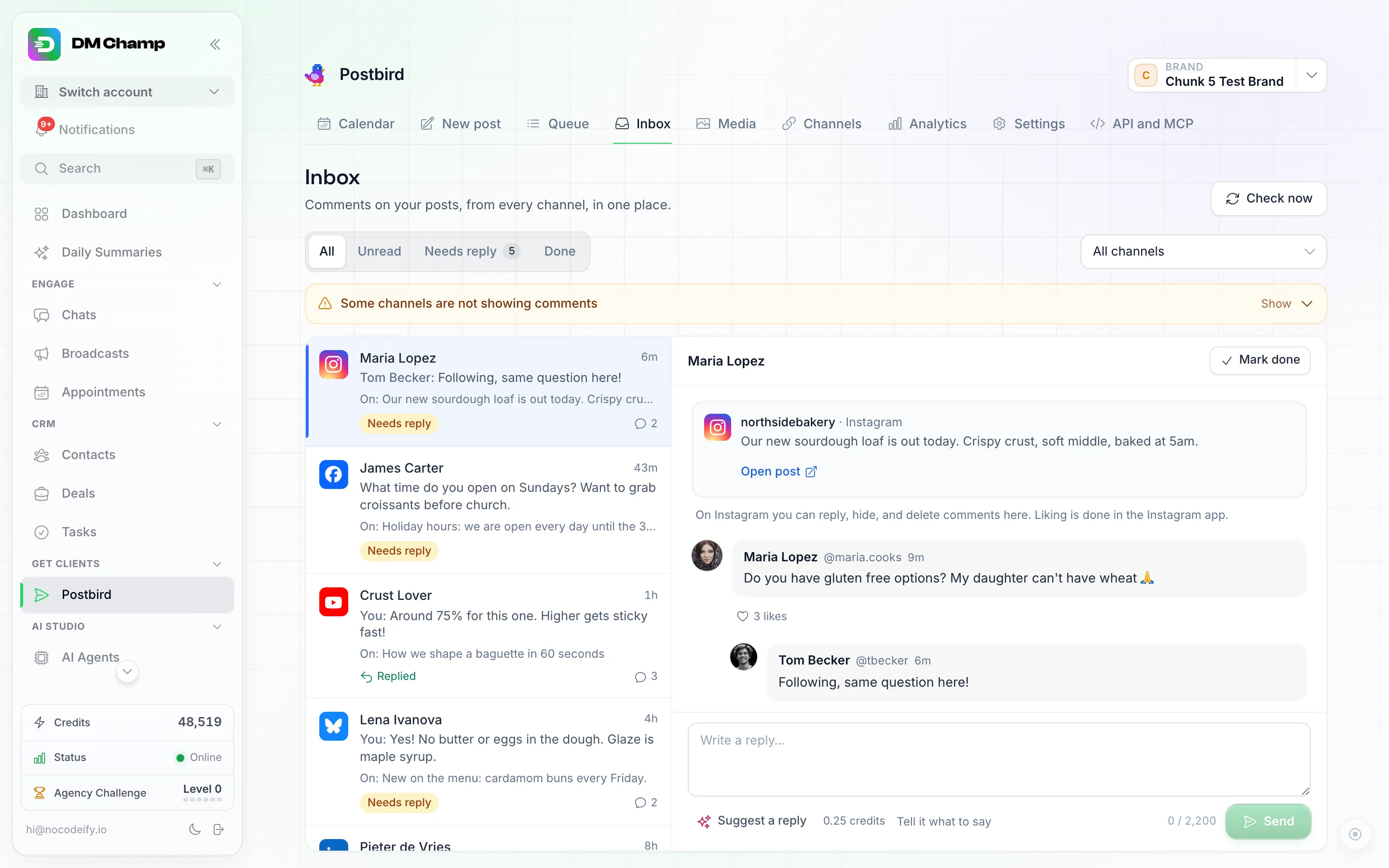
Inbox: every comment on your posts as a conversation, with the post it is on and a reply box.
Read and answer comments
- Click Inbox in the menu (between Queue and Media) and check the brand at the top.
- Use Show to pick All, Unread, Needs reply (the newest comment is someone else’s) or Done, and Channel to see one channel or All channels.
- Click a conversation. It opens with the post it is on (Open post shows it on the network) and every reply under the comment.
- Write your answer in the reply box and click Send. It goes out as your brand under the first comment; to answer one reply in particular, click Reply under it first. Ctrl or Cmd with Enter also sends.
- Use Like, Hide or Delete on a comment where the network allows it. A hidden comment can be shown again with Show again; a deleted one cannot be brought back.
- Click Mark done when you are finished. The conversation moves to Done, and a new comment opens it again. Reopen brings it back by hand.
New comments come in on their own. Check now looks for new ones right away.
Suggest a reply
Suggest a reply writes an answer to the comment with AI, as your brand and in the language of the comment. It only fills the reply box: check it, change what you like, then click Send. Nothing goes out until you do.
Click Tell it what to say first if you want to steer it, for example “thank them and mention the weekend offer”. If you already typed something in the reply box, the suggestion replaces it after you confirm.
What it costs
Each suggestion costs 0.25 credits from your credit balance, the same as a round of AI post drafts. You only pay when a suggestion comes back. If your account uses its own AI key, suggestions run on that key instead and no credits are taken.
What you can do on each network
| Network | See comments | Reply | Like | Hide | Delete |
|---|---|---|---|---|---|
| Facebook Pages | Yes | Yes | Yes | Yes | Yes |
| Instagram (business and creator accounts) | Yes | Yes | No | Yes | Yes |
| YouTube | Yes | Yes | No | Yes | Yes |
| Bluesky | Yes | Yes | Yes | No | Your own replies only |
| Mastodon | Public replies | Yes | No | No | Your own replies only |
| LinkedIn through an SDR Pilot seat | Yes | Yes | No | No | No |
| Threads | Coming as soon as Threads approves it | ||||
| LinkedIn company pages | Coming as soon as LinkedIn approves it | ||||
| LinkedIn personal profiles connected directly | Not available: LinkedIn does not share these comments. Use an SDR Pilot seat instead |
Other channels do not show comments. What a network does not allow is done in that network’s own app; the conversation says so.
Get notified and automate
Notifications. New comments send you a notification. Switch it on or off under Settings, Notifications, New social comments.
Automations. The New comment on a social post trigger (under Apps in the trigger picker) starts an automation for each new comment, for example to alert your team or log the comment in a sheet. Leave its settings empty to hear every comment, or narrow it to one Brand ID, some Networks, some Channel IDs, comments that contain one of your Keywords, and whether Include replies to comments also counts replies under a comment. See automation triggers.
From your AI assistant or the API
An AI assistant connected through the MCP address can read the conversations, reply, like, hide or delete, mark them read or done, and suggest a reply, the same as the Inbox. Ask it, for example, “answer the Instagram comments that need a reply”. The tools are postbird_list_comments, postbird_get_comment_thread, postbird_mark_comments_read, postbird_mark_comment_done, postbird_reply_to_comment, postbird_like_comment, postbird_hide_comment, postbird_delete_comment, postbird_draft_comment_reply and postbird_check_comments_now, and each is also a plain web request with your API key.
Good to know
- Comments left before you connected a channel show as already read and do not start automations.
- Comments on posts you made outside Postbird show too on Facebook, Instagram, YouTube, Bluesky, Mastodon and LinkedIn through an SDR Pilot seat.
- On Facebook a commenter’s name shows only when Facebook shares it; otherwise it says Facebook user.
- On YouTube, hiding a comment holds it for review.
- If a network refuses a reply, the reason shows under it, with a Try again button that puts your text back in the reply box.
- If the Inbox says a channel needs reconnecting, click Reconnect, or reconnect it on the Channels page.
- Direct messages are not part of the Inbox.
- Anyone on your team who can see the brand can read its Inbox. Replying, liking, hiding, deleting, marking done and suggesting need a role that may publish: the owner, Admins and Editors. See Team roles.