Why DM Champ Is Built to Feel Human
Your AI answers customers for you around the clock. But there’s a design choice underneath that matters more than most people realize: DM Champ is built so those replies feel like a real person from your team, not an obvious bot.
This page explains why that matters for your sales, what makes the conversation feel human, and how to keep it that way.
Prefer to see it? Click through the whole flow:
Why it matters
People behave differently the moment they think they’re talking to a machine. They get shorter, more guarded, and they buy less. When a conversation feels like a real person, customers stay engaged, ask more questions, and are far more likely to book, buy, or reply.
This is only getting more important. A lot of people are tired of obvious AI bots — not because they’re AI, but because they’re bad: generic, scripted, robotic. So the goal isn’t to trick anyone. It’s to make sure your AI is genuinely helpful and reads like your business, instead of like a generic robot that customers tune out. Sounding human and being honest about AI go together fine: the Tell contacts they’re chatting with AI setting works one natural mention into the first reply and then gets out of the way — see AI Transparency. In many places (like the EU) that first-message disclosure is required by law, and a chat that’s upfront and still reads like a person is exactly what converts.
The short version: A reply that sounds like your team converts. A reply that sounds like a bot gets ignored. DM Champ is tuned for the first one.
What makes it feel human
You don’t have to do anything special to get this, it’s how the platform works by default. Here’s what’s happening behind the scenes.
| What DM Champ does | Why it feels human |
|---|---|
| Replies come from your own number and brand | The customer sees your business, not a third-party AI badge |
| Uses your tone and instructions | It sounds like the way you talk to customers |
| Splits longer answers into natural messages with short, human-like delays | It reads like someone typing, not one robotic wall of text |
| Grounded in your FAQs and knowledge | Answers are specific to your business, not generic filler |
| Hands off to you when a chat needs a human | Customers never feel trapped with a bot |
How to keep it human
A few simple things keep the conversation natural:
- Set your tone in the AI Instructions. Tell your Agent how your business talks, friendly, professional, casual, and it will match. See Setting Up Your AI Bot.
- Fill in your FAQs. The more your bot knows about your business, the less generic it sounds. See Managing FAQs.
- Don’t squeeze the natural message pacing. Splitting a reply into short messages, with a small typing pause between each one, is what makes it read like a person. There is no switch to turn this on: it is always on and happens automatically on every live chat, so there is nothing to look for in your Agent’s settings. What you can change is how much room it has. Max messages per response, in the Response limits section of the AI Instructions tab, caps how many separate messages one reply may split into (default 6). Setting it to 1 or 2, especially with Enforce max messages switched on, removes most of the splitting and replies start reading like one block again. See Setting Up Your AI Bot.
- Keep AI response speed on “Human Like.” The same AI Instructions tab has an AI response speed setting with four options: Human Like, Thoughtful, Fast, and Quick. Human Like is the default and the most accurate — the faster options trade some thinking time (and reply quality) for speed, so only switch off Human Like if you specifically need snappier replies more than natural, well-considered ones. Human Like also has the longest typing pause of the four: in a live chat the typing indicator before each message lasts about as long as a person would take to type it, so a longer message takes longer to “type”. The first message still arrives exactly on your response delay: its typing indicator simply starts shortly before.
- Judge the pacing in a real chat, not in Try Out. The Try Out test chat is deliberately sped up so testing isn’t slow. It starts answering after a few seconds instead of waiting out your Reply Timing window, and it uses a short fixed pause between split messages instead of the length-based typing pause. Timing in Try Out is always faster than what your customers actually see, so check the rhythm in a real conversation before changing anything.

Reply Timing, on the Agent's AI Instructions tab — the wait before the first message of the reply arrives, so replies don't feel instant.

Response limits — Max messages per response controls how many separate bubbles one reply can split into (Enforce max messages makes that a hard guarantee). Just below it, AI response speed is set to Human Like, the most natural (and most accurate) option.
Here’s what the splitting looks like (captured in the Try Out sandbox chat, so the gaps between messages are shorter there than in a real conversation):
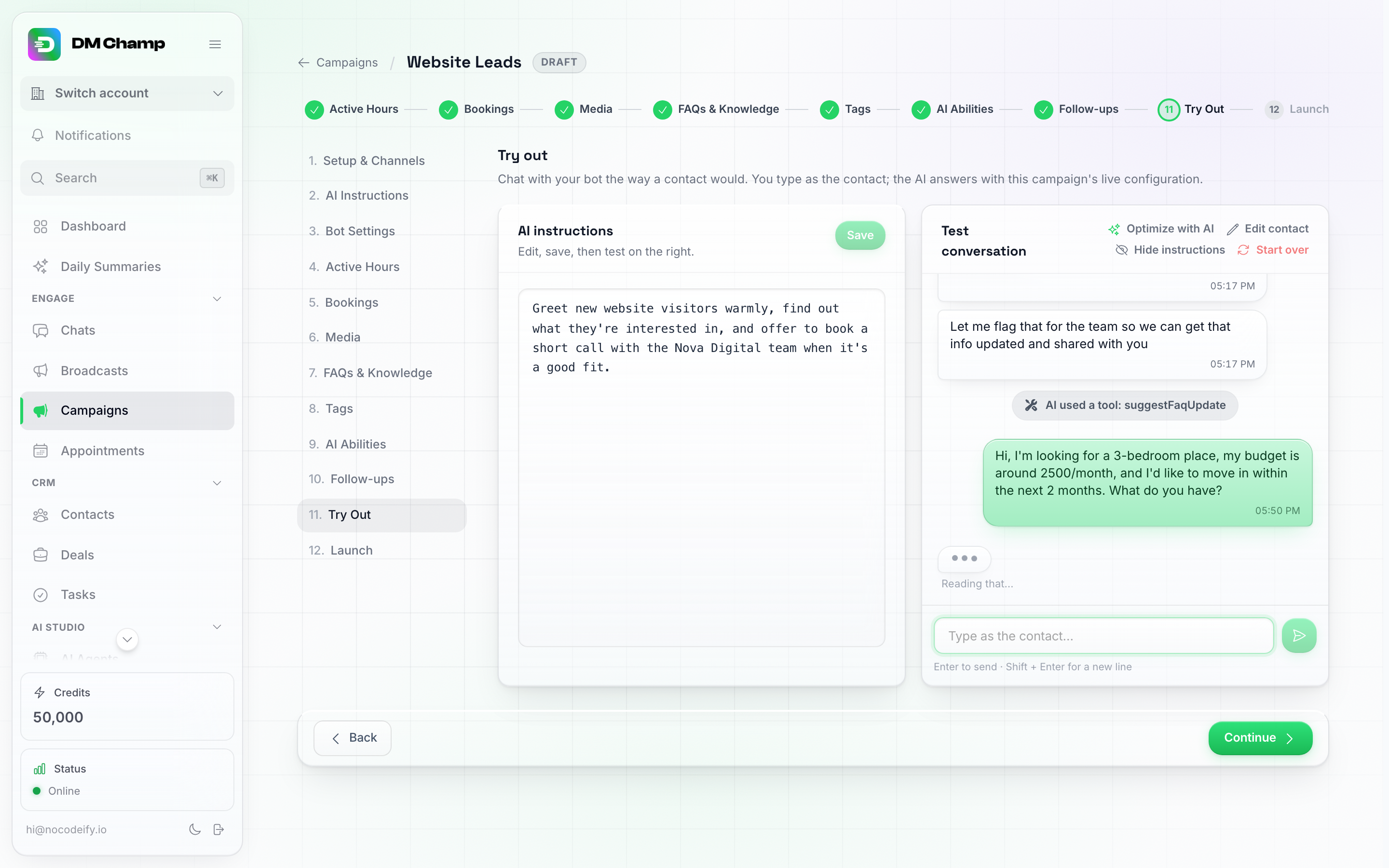
The typing indicator between a customer's message and the AI's reply — this is the human-like delay in action, not a stalled chat.
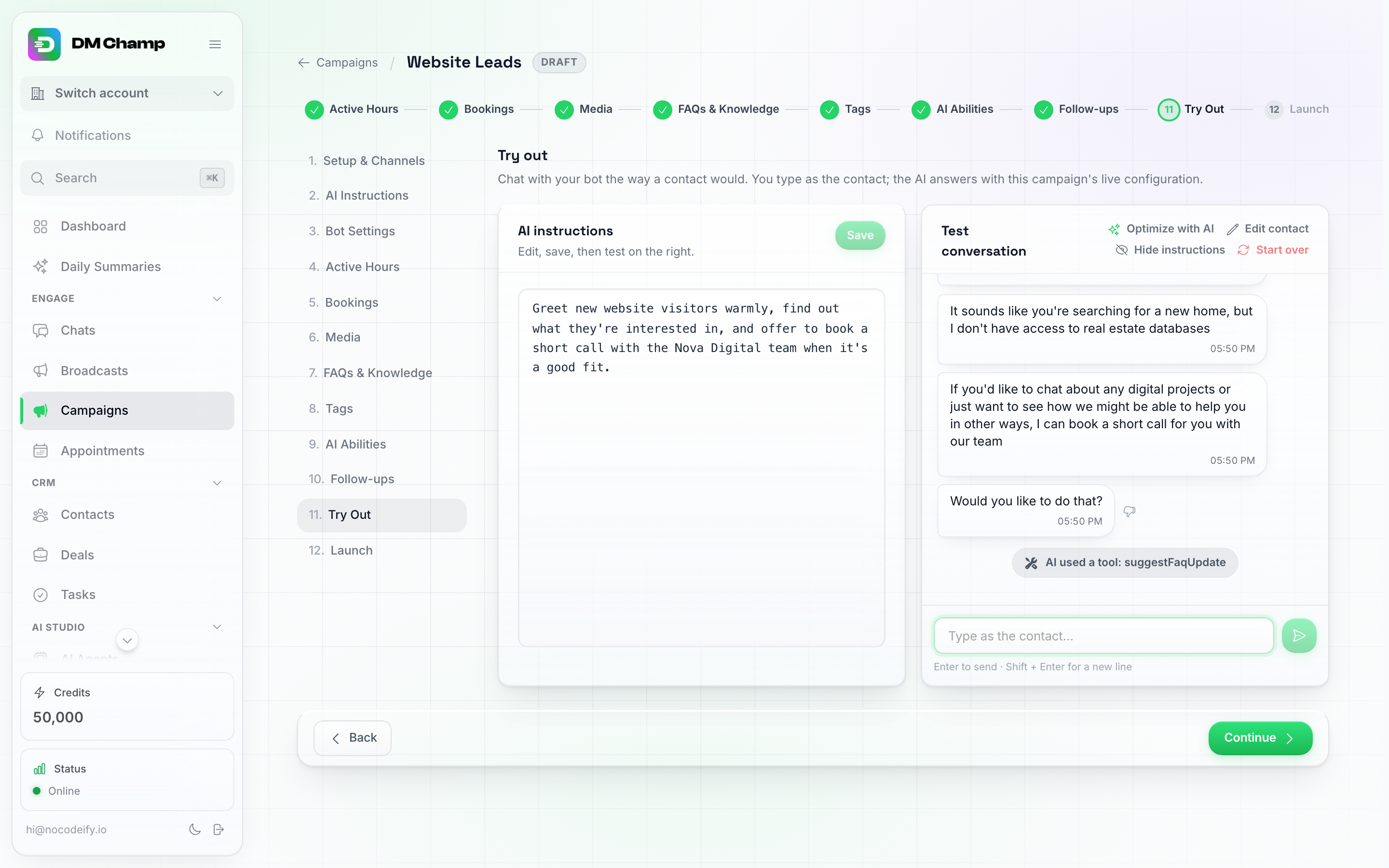
One AI answer, split into three separate bubbles — the natural message-splitting from the table above, shown live.
- Don’t add “I am a bot” disclaimers. You never need to hide that you use automation, but you also don’t need to lead with it. Let the helpfulness speak for itself.
- Use a strong model. The Max model is tuned specifically for real sales and support conversations, which is a big part of why replies land naturally.
Note: Feeling human works best when the AI is also accurate. A natural-sounding reply that gets a fact wrong still costs you. That’s why DM Champ grounds answers in your FAQs and uses a model tuned for customer conversations, so it’s both natural and correct.
How is this different from a built-in platform AI?
Some platforms (for example, a messaging app’s own built-in AI agent) offer to answer your chats for you too. The difference is in how it comes across and what it can do:
- A built-in platform agent is usually presented as that platform’s AI, and it only works on that platform’s channels.
- DM Champ speaks as your business, in your voice, and works across all your channels, WhatsApp, Instagram, Messenger, SMS, web chat, and more, with the same human feel everywhere. It also handles the parts a simple reply bot can’t, like broadcasts, follow-ups, and booking appointments.
So instead of a customer chatting with an obvious platform bot, they’re having what feels like a real conversation with your team, everywhere you talk to them.
See also: Setting Up Your AI Bot · Managing FAQs · Why Max Is the Best Value